Would it be possible to allow cloning of cloned projects as when we develop projects we move from A to B to C and having got to B we don’t want to clone A when B is much more advanced than A.
With 4 full tabs we require an easy way of ‘duplicating’ projects without having to set up sliders, buttons and especially 28 item menus etc over and over again.
If I continue with the Share it doesn’t give a url either i.e. complete failure not just a problem with the QR code.
‘Refreshing later’ doesn’t seem to work.
I have just managed to clone a very basic cloned project but our main project that uses the full real estate of the four tabs will not clone if it is a clone.
I have around 20 projects in my dashboard and I have noticed that some projects are moving their position. A project I cloned yesterday initially appeared next to the project I cloned but today it is at the far right of the various projects.
@Costas we know the place where it is happen . The question still the same - why it happen for you . For QR generation we using 3-d party service for short URL generation. Could be that this service is not available for you for some reason.
The url shortener is not a problem as when I am able to clone the url works fine.
It is specific to certain projects not all projects and some cloned projects can be cloned. It just happens to be my main project that I can’t clone the clone.
I checked Tabs and >32 pins. Do you have enough space on your device? Maybe problem is not enough space for QR code? Could you please check? Or maybe you didn’t give permission for writing SD card?
Try the build by this link - after you will reproduce this issue - just make a long press the title text on the actionbar and app’ll ask you to send a log file to my email
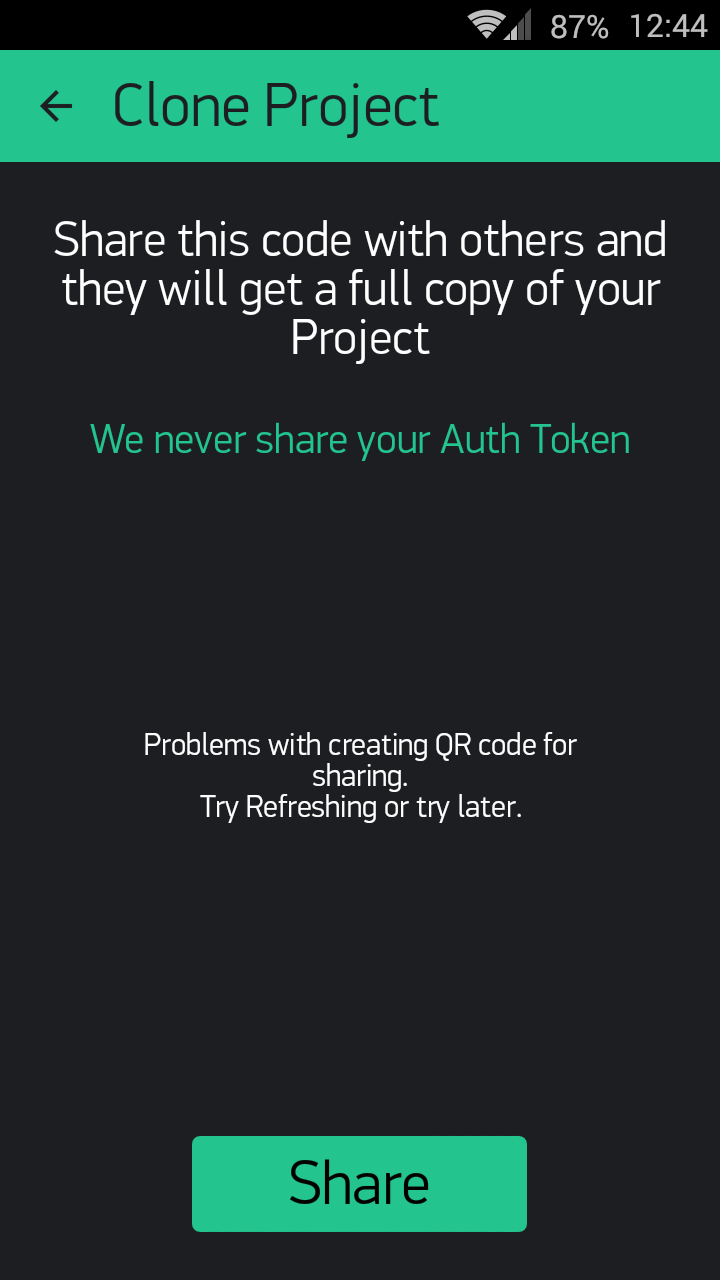
 . The question still the same - why it happen for you
  don’t worry. We do this every day