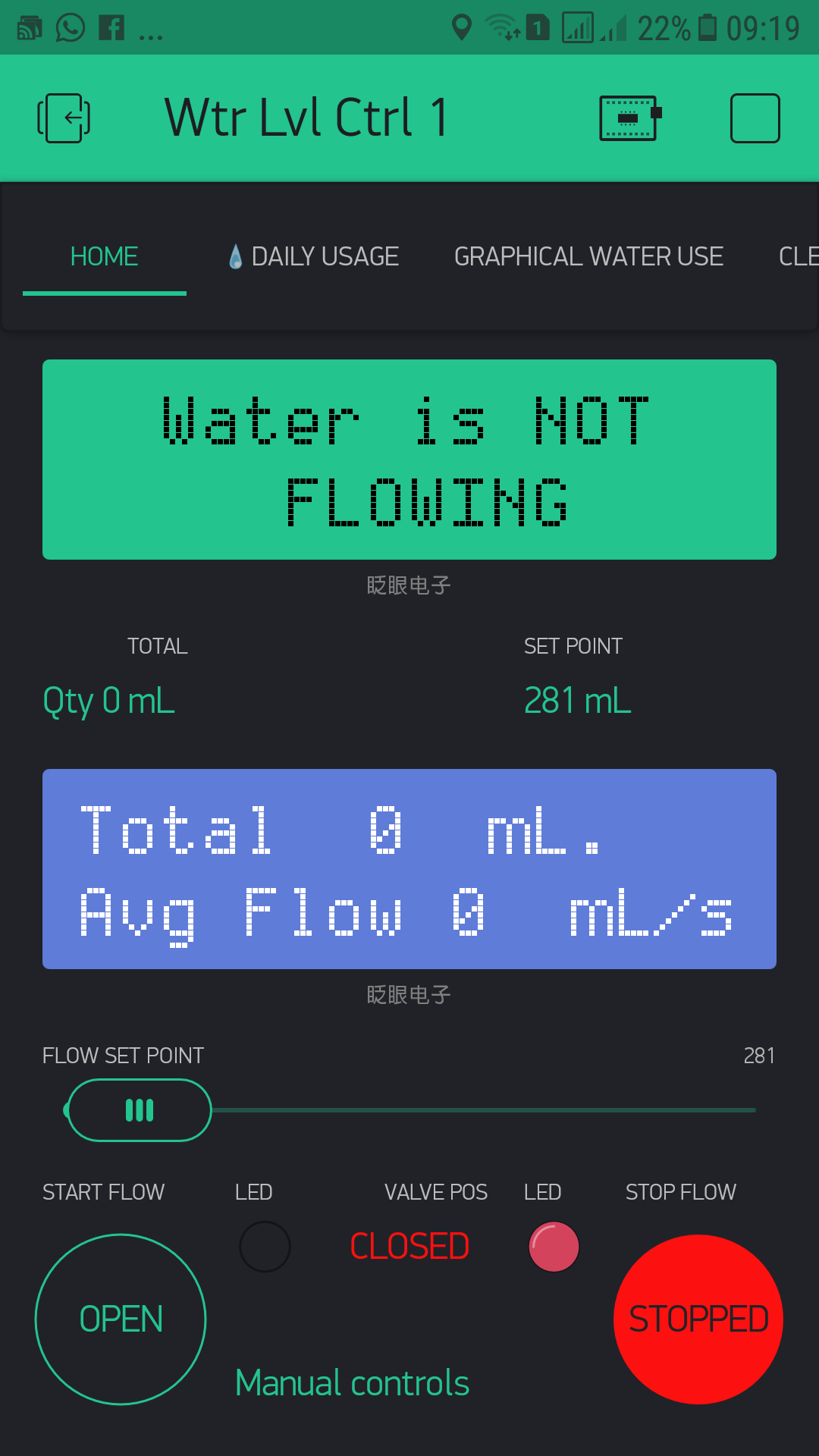
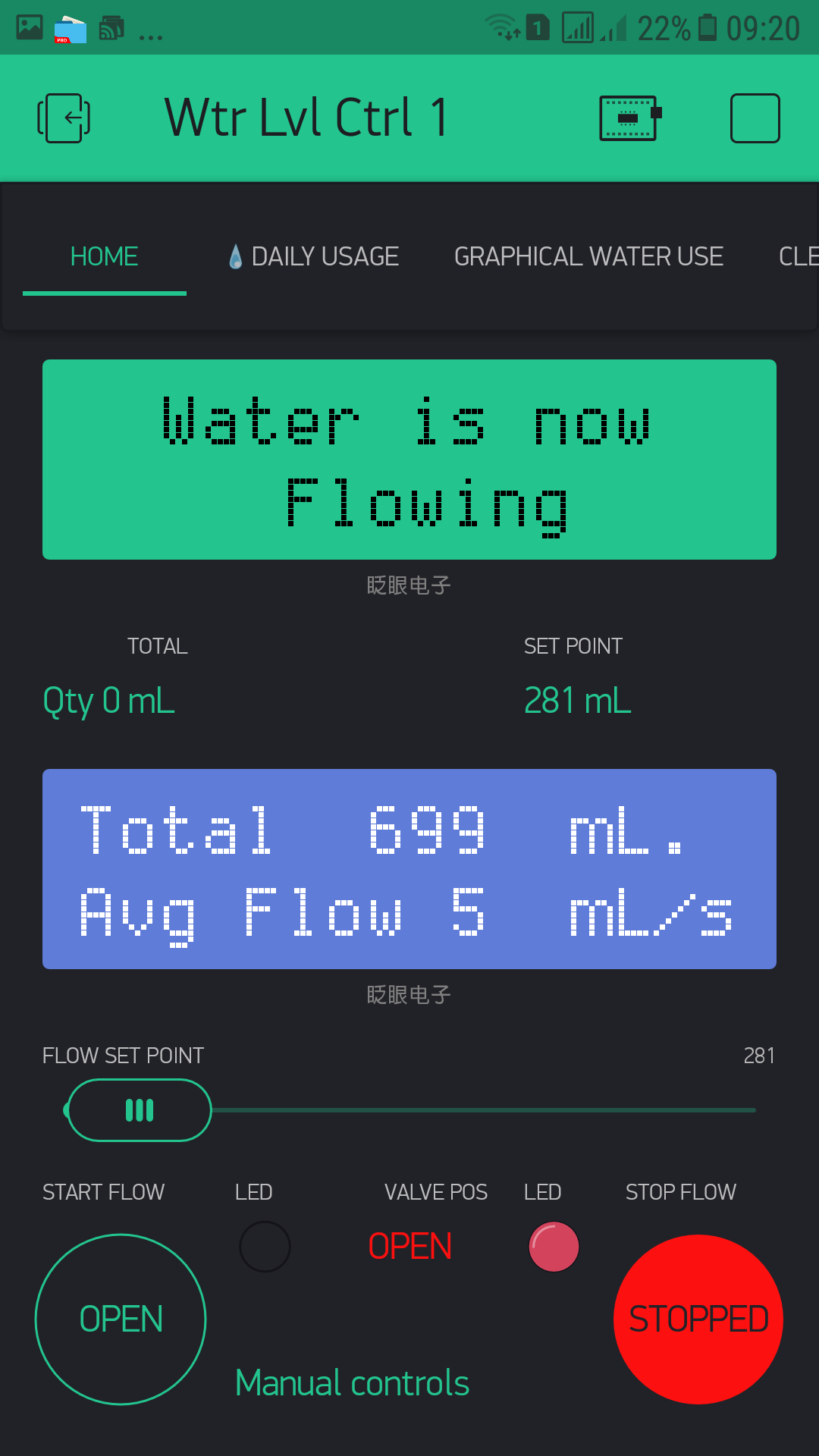
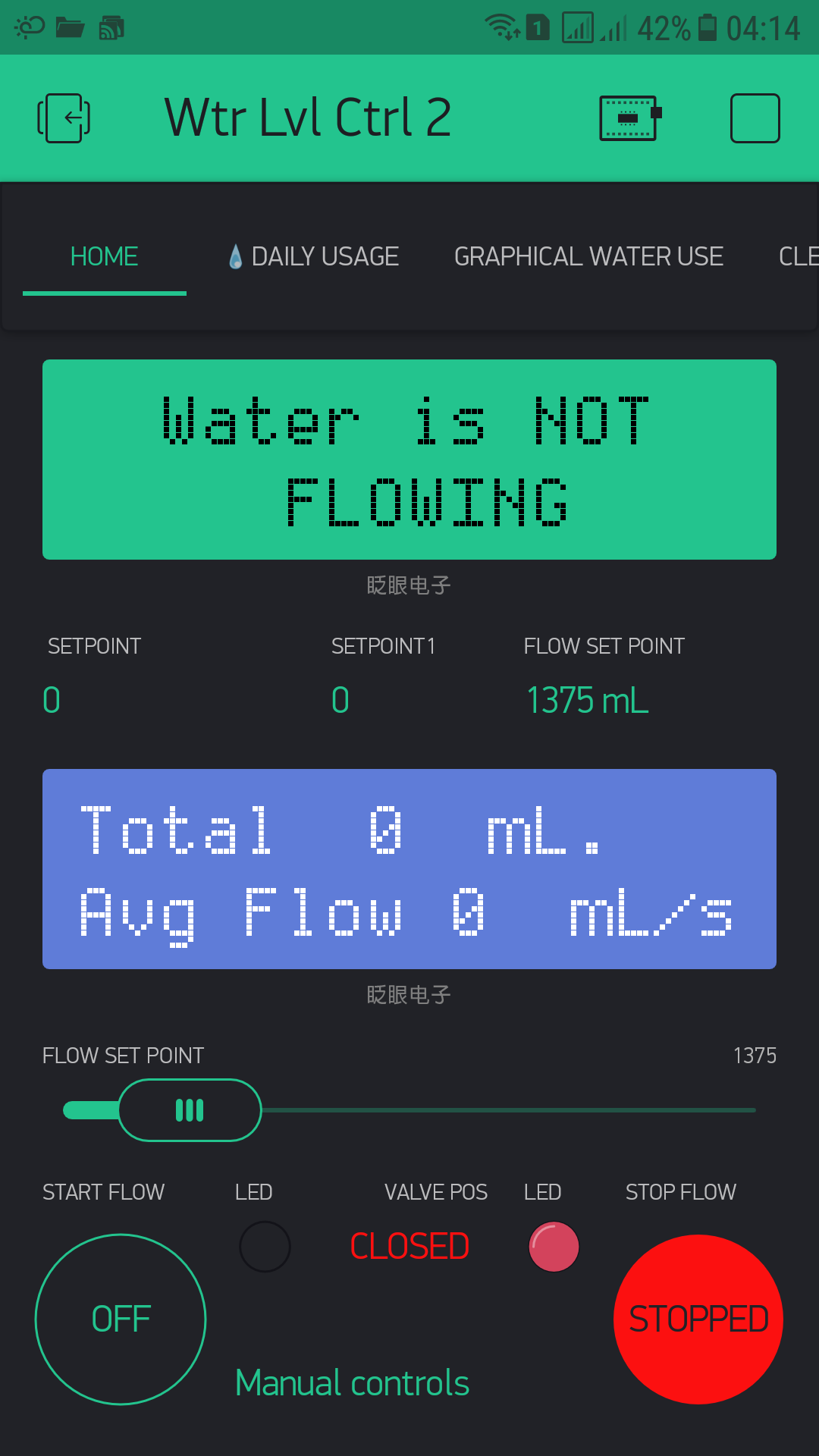
I have remover all the conditioning using the slider value and the system works fine I need the slider value for eg overfilling protection adjusting the flow during floeing period etc.
/*
  Connect Vcc and Gnd of sensor to arduino, and the
  signal line to arduino digital pin 2.
*/
#include <ArduinoOTA.h>
#include <ESP8266WiFi.h>
#include <BlynkSimpleEsp8266.h>
#include <ESP8266mDNS.h>
#include <WiFiUdp.h>
#include <WidgetRTC.h>

BlynkTimer Timer; // Sets up a Timer object named Timer (could be any name)

char auth[] = "xxxxxxx"; // WtrLvlCtrl#1
char ssid[] = "xxxxx";
char pass[] = "xxxxx";

WidgetLED led1(30); //StartLED in blynk app virtual pin 30
WidgetLED led2(31);//StopLED in blynk app virtual pin 31

WidgetLCD lcd0(V0); //top lcd widget in blynk app on virtual pin 0
WidgetLCD lcd1(V1); //middle lcd widget in blynk app on virtual pin 1
WidgetLCD lcd(V2); //bottom lcd widget in blynk app on virtual pin 2

WidgetTerminal terminal(V22);
WidgetRTC rtc;

// Reserviour A
int sensorInterrupt = 4;  // *** WeMos D1 = 4 (SDA) (Wemos mini = digital pin 2)
int sensorPin = 4;        // *** WeMos D1 = 4 (SDA) (Wemos mini = digital pin 2)
int valvePin = 5;         // *** WeMos = D3/D15(SCL) (Wemos mini = D6 also works on D7)
byte levelSwitch = 12;    // *** WeMos = D6/D12(MISO) (Wemos mini = D1 also works on D2)


// The hall-effect flow sensor outputs approximately 4.5 pulses per second per
// liter/minute of flow.
float calibrationFactor = 4.5; // was 4.5
volatile byte pulseCount;
float flowRate;

unsigned int flowMilliLitres;
unsigned long totalMilliLitres;
unsigned long oldTime;
unsigned long totalLiters = 0;
unsigned int flowSetpoint;

#define averageperiod 5 // currently set to average the flow every 5 seconds
int countseconds = 0;   // count up to averageperiod
int averageflow = 0;    // used for averaging flow over averageperiod
bool notificationsent = false;  // to ensure just one message for each flow start
bool flowoffprintonce = false;  // to ensure just one serial and terminal print for each flow stop

int rowIndex = 1;
String currentDate  ;
String daybefore;
int rtcTimer = 1; //check if RTC is OK and then disable / delete this #1 Timer
int currentDatesi = 0;
int daybeforesi = currentDatesi;
int newSetpoint = flowSetpoint;

void setup()
{
  Serial.begin(115200);
  Blynk.syncAll();
  pinMode(sensorPin, INPUT);
  digitalWrite(sensorPin, HIGH);
  pinMode(valvePin , OUTPUT);
  digitalWrite(valvePin, LOW);  // *** ACTIVE HIGH, valve relay set to OFF on restart
  pinMode(levelSwitch, INPUT);

  pulseCount        = 0;
  flowRate          = 0.0;
  totalMilliLitres  = 0;
  oldTime           = 0;
  pulseCount = 0;
  attachInterrupt(sensorInterrupt, pulseCounter, FALLING);

  rtc.begin();
  terminal.println("Connected to Blynk");
  terminal.println(WiFi.localIP());
  terminal.flush();
  rtcTimer = Timer.setInterval(2000L, checkRTC);   // check every 2s if RTC is correct
  Timer.setInterval(1000L, showFlow);
}
BLYNK_CONNECTED()
{
  Blynk.syncVirtual(V6, V8, V9, V19);
  Blynk.syncVirtual(V5);
  Blynk.syncVirtual(V4);
}

void  showFlow()
{
  if ((millis() - oldTime) > 1000)   // Only process counters once per second
  {
    detachInterrupt(sensorInterrupt);
    flowRate = ((1000.0 / (millis() - oldTime)) * pulseCount) / calibrationFactor;
    oldTime = millis();
    flowMilliLitres = (flowRate / 60) * 1000;
    totalMilliLitres += flowMilliLitres;
    unsigned int frac;

    // Determine the fractional part. The 10 multiplier gives us 1 decimal place.
    frac = (flowRate - int(flowRate)) * 10;
    // Reset the pulse counter so we can start incrementing again
    pulseCount = 0;
    countseconds++;
    if (countseconds > 0) // used to skip the first rogue data flow reading
    {
      averageflow = averageflow + flowRate;   // used to calculate the average flow over averageperiod cycles
    }
    if (countseconds == averageperiod)
    {
      countseconds = 0;  // reset the counter
      floatState();
      averageflow = 0;     // reset the average but only after floatState() function
    }
    //   attachInterrupt(sensorInterrupt, pulseCounter, FALLING);
    // Enable the interrupt again now that we've finished sending output
    attachInterrupt(sensorInterrupt, pulseCounter, FALLING);

    countseconds++;
    if (countseconds > 0) // used to skip the first rogue data flow reading
    {
      averageflow = averageflow + flowRate;   // used to calculate the average flow over averageperiod cycles
    }
    if (countseconds == averageperiod)
    {
      countseconds = 0;  // reset the counter
      floatState();
      averageflow = 0;     // reset the average but only after floatState() function
    }
  }
  Blynk.virtualWrite(V0, totalMilliLitres);
  Blynk.virtualWrite(V1, (int(flowRate)));
}

// START Button on virtual pin 6 OPENS water Solenoid Valve
BLYNK_WRITE(V6)
{
  int controlRelay = param.asInt();
  if (controlRelay == 1)
  {
    Blynk.virtualWrite(V8, 0);
    Blynk.virtualWrite(V9, 0);
    //    currentMilliLitres = 0;
    digitalWrite(valvePin, HIGH);  // Turn relay ON
    Blynk.virtualWrite(V7, "OPEN");
    Blynk.virtualWrite(V6, 1);
    led1.on();
    led2.off();

  }
}
// STOP Button on virtual pin 8 CLOSES water Solenoid Valve
BLYNK_WRITE(V8)
{
  int controlRelay = param.asInt();
  if (controlRelay == 1)
  {
    Blynk.virtualWrite(V6, 0);
    Blynk.virtualWrite(V9, 0);
    //   currentMilliLitres = 0;
    digitalWrite(valvePin, LOW);  // turn relay OFF
    Blynk.virtualWrite(V7, "CLOSED");
    Blynk.virtualWrite(V8, 1);
    led2.on();
    led1.off();
  }
}

//Adjust the blynk app slider for Maximum volume of water flow
BLYNK_WRITE(V5)
{
  flowSetpoint = param.asInt();
  Blynk.virtualWrite(13, flowSetpoint); //write debug data to virtual pin 13

  delay(500);
}

// ===== Reservoir Level Control
void floatState()
{
  int waterLevel = digitalRead(levelSwitch); // *** Read Water float Status
  switch ( waterLevel )
  {
    case HIGH:  // ***** Reservior is LOW
      Blynk.virtualWrite(V19, newSetpoint); //debug value only zero is displayed

      // This condition works the valve opens and closes as per level
      // but also does not react on the floweSetpoint condion np matter what the Slider setting.
      if ((waterLevel == HIGH) &&  (notificationsent == false))// && (flowSetpoint > 0))
      {
        Serial.println("Water is flowing.");
        lcd.clear();
        lcd.print(2, 0, "Water is now");
        lcd.print(5, 1, "Flowing");
        Blynk.email("xxxxxxx@gmail.com", "Water Level Control #1 Water is flowing.", "Valve is open on Water Level Control #1 - Water is flowing.");
        Blynk.notify("Valve is open on Water Level Control #1 - Water IS flowing.");
        digitalWrite(valvePin, HIGH); //OPEN the valve
        Blynk.virtualWrite(V7, "OPEN");
        notificationsent = true;         // stop getting messages until water stops flowing and starts again
        flowoffprintonce = false;        // when water stops flowing again we can restart serial and terminal print (once)
      }
      /* checks this condition but does not get out of the condition newSetpoint
         value  remains at zero and valve closes no matter what the slider position
         if I leave this condition out the system works as expected
      *//*
      if ((waterLevel == HIGH) && (newSetpoint) <= 0); // Slider set too low
      {
        Blynk.virtualWrite(V9, newSetpoint); //debug value only only zero is displayed
        lcd.clear();
        lcd.print(2, 0, "Water is NOT");
        lcd.print(5, 1, "flowing");
        digitalWrite(valvePin, LOW); //CLOSE the valve
        Blynk.notify("Valve NOT open Target Volume Settings too LOW");
      }
*/
      break;

    case LOW: // ***** Reservoir is full
      if ((waterLevel == LOW) && (flowoffprintonce == false))
      {
        Serial.println("Water is NOT FLOWING.");
        lcd.clear();
        lcd.print(2, 0, "Water is NOT");
        lcd.print(5, 1, "FLOWING");
        digitalWrite(valvePin, LOW);
        Blynk.virtualWrite(V7, "CLOSED");
        notificationsent = false;  // when water starts flowing again we can send another notification
        flowoffprintonce = true;      // stop serial and terminal prints after first pass of water stopping
      }
      break;
fault:;
  }
}

void checkRTC()
{
  if (year() != 1970)
  {
    Timer.disable(rtcTimer);  // disable rtcTimer now RTC is ok
    //rtcupdated = true; // can be commented out as checkRTC will stop when RTC is ok
    currentDate = String(day()) + "/" + month() + "/" + year();   // etc
    terminal.println("RTC started");
    daybefore = currentDate;
    Timer.setInterval(60000L, table);   //start table() now RTC is OK
  }
}
void table()
{
  currentDate = String(day()) + "/" + month() + "/" + year();  // etc
  if (currentDate != daybefore)
  {
    //currentDate = String(day()) + "/" + month() + "/" + year();
    Blynk.virtualWrite(V10, "add", rowIndex, daybefore, totalMilliLitres / 1000 + String(" litre"));
    //highlighting latest added row in table
    Blynk.virtualWrite(V10, "pick", rowIndex);
    rowIndex++;
    flowMilliLitres = 0;
    totalMilliLitres = 0;
    //    currentMilliLitres = 0;
    daybefore = currentDate;
  }
}

// Reset History on virtual pin 3
BLYNK_WRITE(V3)
{
  int resetdata = param.asInt();
  if (resetdata == 1)
  {
    Serial.println("Clearing data");
    Blynk.virtualWrite(V0, 0);
    Blynk.virtualWrite(V1, 0);
    Blynk.virtualWrite(V12, 0);
    averageflow = 0;
    countseconds = 0;
    flowMilliLitres = 0;
    totalMilliLitres = 0;
    //    currentMilliLitres = 0;
  }
}

// Reset Table Data on virtual Pin 20
BLYNK_WRITE(V20)
{
  int resetdata = param.asInt();
  if (resetdata == 1)
  {
    Serial.println("Clearing table data");
    Blynk.virtualWrite(V10, "clr");
  }
}

void pulseCounter()
{
  pulseCount++;// Increment the pulse counter
}
void loop()
{
  ArduinoOTA.handle();
  Blynk.run();
  Timer.run();
  floatState();
}
here the tank level was full and the valve closed as expected
The following was when the level was low and the valve opened as expected and water flowed
when the tank was full the vale closed off
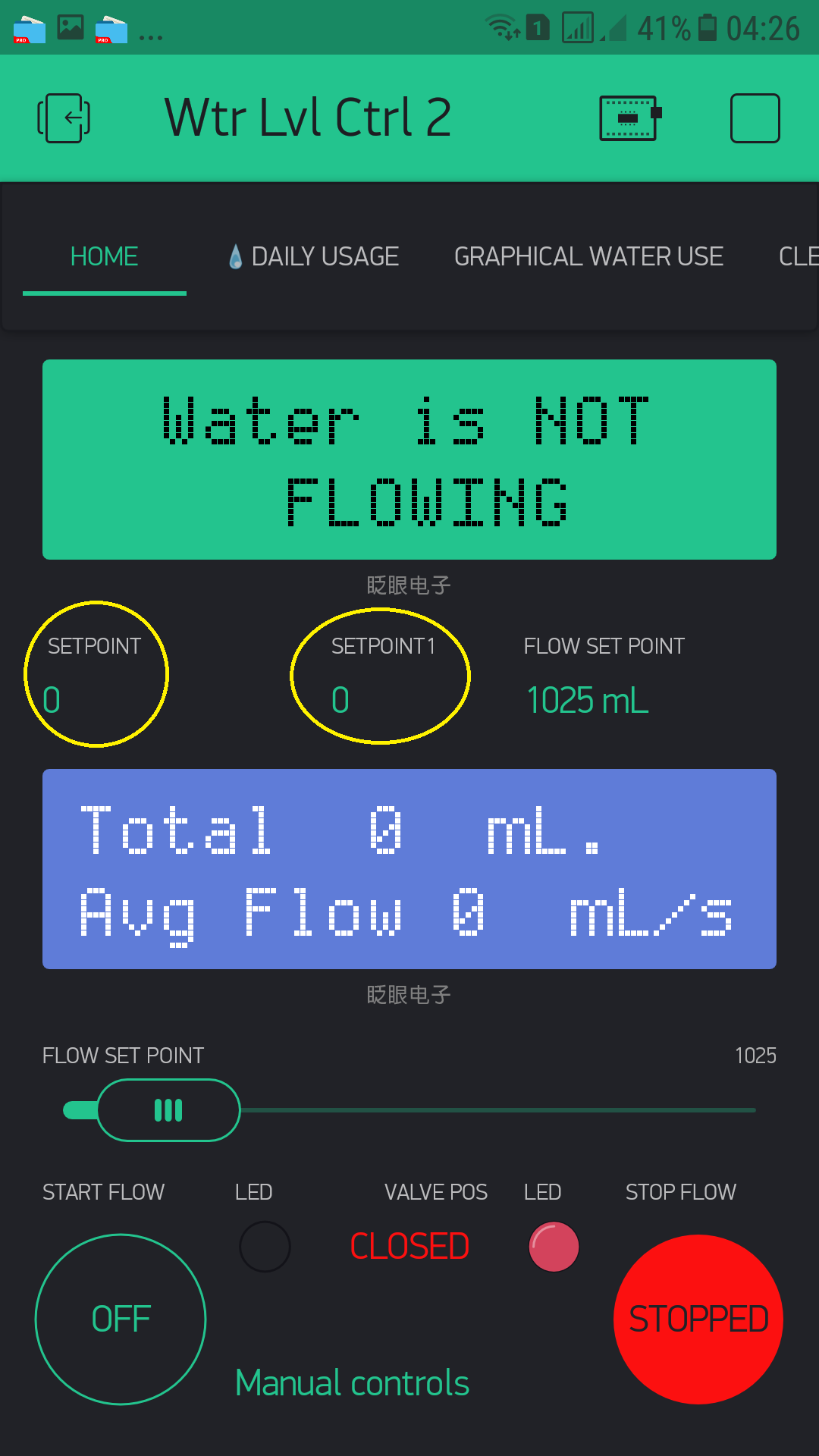
 but I see at least one locally declared variable…