Description:
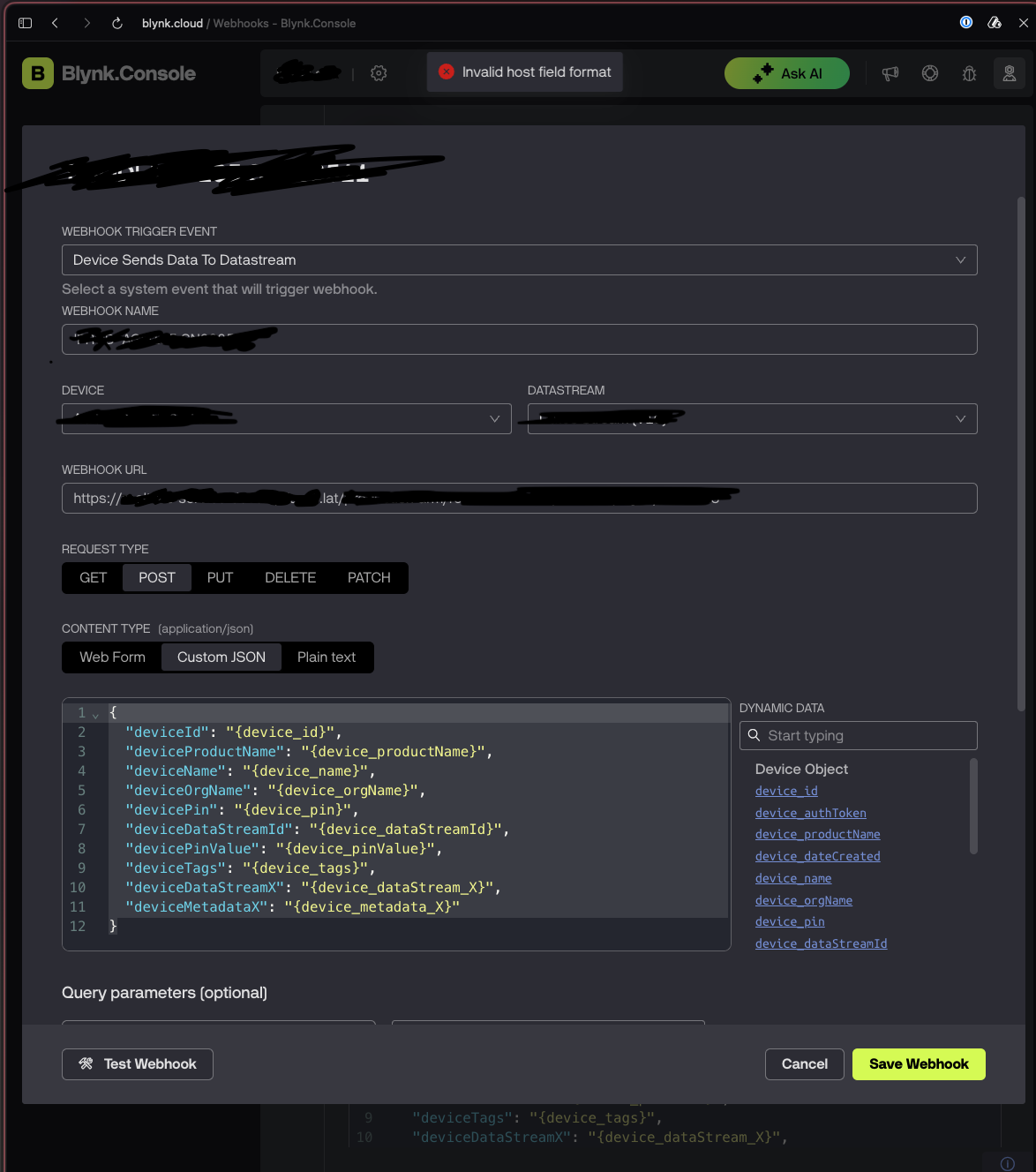
When try to create/edit a webhook, the console gives this error
Invalid host field format
Steps to reproduction:
1 - Create a new webhook on Developer Zone → Webhooks
2 - Create a new webhook, with this settings:
webhook trigger event: Device Sends Data To Datastream
webhook name: any u want
device: select one device
datastream: select the device datastream
webhook url: any https://example.com url (for example, https://google.com/webhooks gives
request type: POST
body:
{
  "deviceId": "{device_id}",
  "deviceProductName": "{device_productName}",
  "deviceName": "{device_name}",
  "deviceOrgName": "{device_orgName}",
  "devicePin": "{device_pin}",
  "deviceDataStreamId": "{device_dataStreamId}",
  "devicePinValue": "{device_pinValue}",
  "deviceTags": "{device_tags}",
  "deviceDataStreamX": "{device_dataStream_X}",
  "deviceMetadataX": "{device_metadata_X}"
}
query params: none
Authroization type none
http Headers: x-source=blynk
im really sure this is a bug from part of blynk, because the last time that i set up new webhooks was working just fine (two weeks ago)
photo evidence