Hello Blynkers!
I’m a frenchy newbee in Blynk, I’m using it for my project with NodeMCU/ESP8266 for controlling my house shutters.
I use the terminal widget for harware feedback, and it works fine for now. And here is my question: In the terminal widget settings, what the “add newline” on/off setting means, and how it works?
I didn’t find out so far any doc or comment on that setting…
Any idea?
@jondalar7 , I’m French too, but not newbee 
This setting adds a carriage return each time you send a terminal.flush();

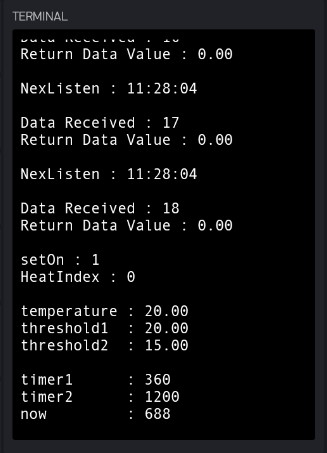
void DataReceived() {
  terminal.print("Data Received : ");
  terminal.println(id);
  terminal.print("Return Data Value : ");
  //  int lg = data_from_nextion.length();
  int eos = data_from_nextion.indexOf(endChar);

  if (data_from_nextion.substring(0, 1) == "q") { //number
    //terminal.print("Return Data Value : ");
    for (int x = 0; x < 4; x++) {
      //terminal.println(String(data_from_nextion[x + 1], HEX));
      getDataUnion.getDataByteArray[x] = data_from_nextion[x + 1];
    }
    Return_Value = getDataUnion.getDataLong;
    terminal.println(Return_Value);
    terminal.flush(); // <<<===========================================
    getDataUnion.getDataLong = 0;
    data_from_nextion = "";
Merci! Is there any doc for this function?
Only examples here
Yes I know this doc, and the French one also, but no spec for the terminal widget and its settings. Anyway, thx for your tip!
1 Like