blynk-rtc-v3:54: error: ‘void BlynkWidgetWrite5(BlynkReq&, const BlynkParam&)’ was declared ‘extern’ and later ‘static’ [-fpermissive]
BLYNK_ATTACH_WIDGET(rtc, V5);
How to resolve?
blynk-rtc-v3:54: error: ‘void BlynkWidgetWrite5(BlynkReq&, const BlynkParam&)’ was declared ‘extern’ and later ‘static’ [-fpermissive]
BLYNK_ATTACH_WIDGET(rtc, V5);
How to resolve?
Are you sure you are not using V5 somewhere else too?
It error after upgrade adruino-ide to 1.6.11.
Well, there you have it, I noticed somewhere earlier that it’s always handy to keep a backup of the old IDE handy because Arduino tends to introduce more bugs then they actually solve with new releases.
Now I try use NTPclient replace RTC widget.
I’m not sure.I reinstall because ide can’t start.
this is SO annoying.
you need 1.6.9 IDE
https://www.arduino.cc/en/Main/OldSoftwareReleases#previous
i just put 1.6.11 on and i get the same error.
I ran into this issue as well as the fact the RTC kept returning UTC with no offset even though this was set in the widget. After some consideration, It occurred to me that there is no reason to have a widget at all; once your device is on the network, you can use NTP to get the time. (Also, the RTC widget is one of the ones that mildly annoys me since it takes up user interface space for no good reason.) Anticipating that I’d run into this again, I decided to write a “shim” library that provides an easy way to initialize NTP for the time functions in Paul Stoffregen’s Time library. This is very easy to use: just set the UTC offset and call the init function and you can then use all of the same code you had been using with the RTC widget. See the README on GitHub for more information. Just be sure to delete the RTC widget from your sketch (header file too) and dashboard. I’ve included a Blynk example including a QR code for the dashboard portion in the library, which you can get from my GitHub repo and install in the usual Arduino way. Note that you should also install the Time library from the link above as well.
Cheers,
RD7
PS You can “sideload” the Arduino IDE by downloading the ZIP file instead of the installer, and unzipping the files into a separate folder from your usual programs. This gives you an executable that uses all of the same library and project files independently of the one you installed with the Windows installer, for example. You can have as many versions available as you like this way. Note that this will NOT work if you are running the GitHub live ESP8266 branch and not the official release, but if you are I assume you knew that already 
Dear Sir,
I saw your library, nice work. I only missed the flexibility to change NTP servers, we are not all located to USA! I think you can parametrize the servers too…
Thanks and best regards,
Mike Kranidis
Yes nice work RD7.
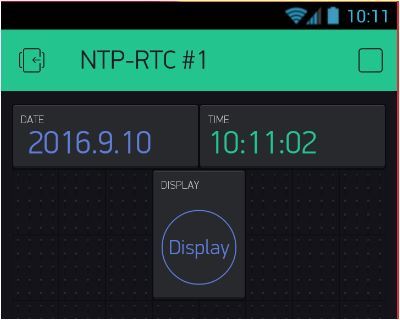
European date format:
String currentDate = String(day(timeNow)) + "/" + month(timeNow) + "/" + year(timeNow);

All,
When you provide QR codes can you also provide the url as it helps DroidXers, thanks.
The servers are listed in an array of URL strings, so you are free to add whichever ones you want in your copy of the library. While it is technically possible to choose the closest server based on delay, that would be massive overkill for this application. Note that I added every non-fractional timezone listed in Wikipedia to the offset defines, so chances are very good yours is there, wherever you happen to be.
Of course, this being the Internet, the NTP server works the same everywhere. There may be some (millisecond) delay from other countries, but if you need that precise a granularity NTP is probably not your best option.
Cheers,
RD7
Sure
RD7