4 questions, 1 answer!
Pete.
4 questions, 1 answer!
Pete.
The automation showing running, apparently forever…
Yes I tried more than 1 minute and the result is the same
About serial print, to print What?
In fact, after around 8 minutes the automation finish. However the LED doesn’t change the state.
I’m sure that if you re-read my post you’ll figure it out.
Why do you have your V5 datastream set-up as both a condition and an action in the automations tab?
For what you are trying to achieve it should be an action only.
Pete.
The behavior of the LED is exactly the same as the lamp. Only the first part of the automation works. At the scheduled time, it turns on or off as defined by the switch . But after the scheduled interval, it remains in the state it was started for indefinite time. I tried to remove the setup of condition from automation tab and did not work anyway.
About the serial print, I really did not understand what to do and the reason. Could you explain me more clear please…
Thanks
What exactly does this mean?
Pete.
I kept active only action and disabled condition as you said before.
You mean Serial.print(V5) inside the BLYNK_WRITE(V5) function?
This would return the value of 5 in all cases, as V5 is an alias.
You would want to see the incoming value from the server, which you are assigning to a variable called value
Pete.
Would be this: Serial.println(digitalRead(V5));
Serial.println(value);
Pete.
Ok, so I will need to connect the photon particle with a cable in my computer and read the serial port during the commands. Is this?
I guess so, I’m not familiar with the hardware.
Pete.
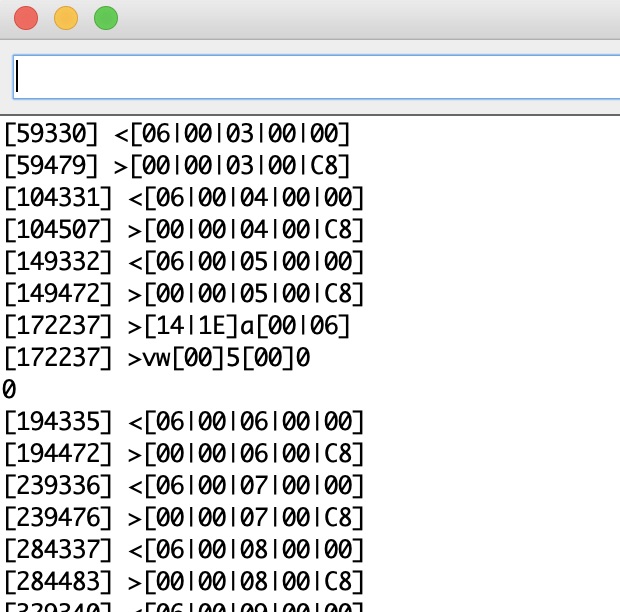
Ok, Here is the result. This is the same result from lamp and from LED.
When you post serial monitor data you should copy the text from your serial monitor and paste it between triple backticks, in the same way as you do when you post code.
I assume that the serial output means Bert little to you? That’s because you have this line in your sketch…
Have you tried deleting your template, device and automation and starting again, this time using the correct settings from the beginning?
Pete.
Not yet,
I will try
Yes, after deleting my template, device and automation and starting again, this time using the correct settings from the beginning the system start to work correctly.
I will optimize the sketch based on your suggestions. Thank you very much for your help and for teaching me.