@jack
I don’t think there are any bugs with the slider, rather it was probably just reacting to both your “physical” adjustments and feedback from the sketch as the same time… and your timing, or lack thereof may have caused an overload?? Can’t say for sure as I haven’t taken your code and ran it.
Also, you could use constraint() to keep your increments and decrements in-line with acceptable ranges (see my code for example).
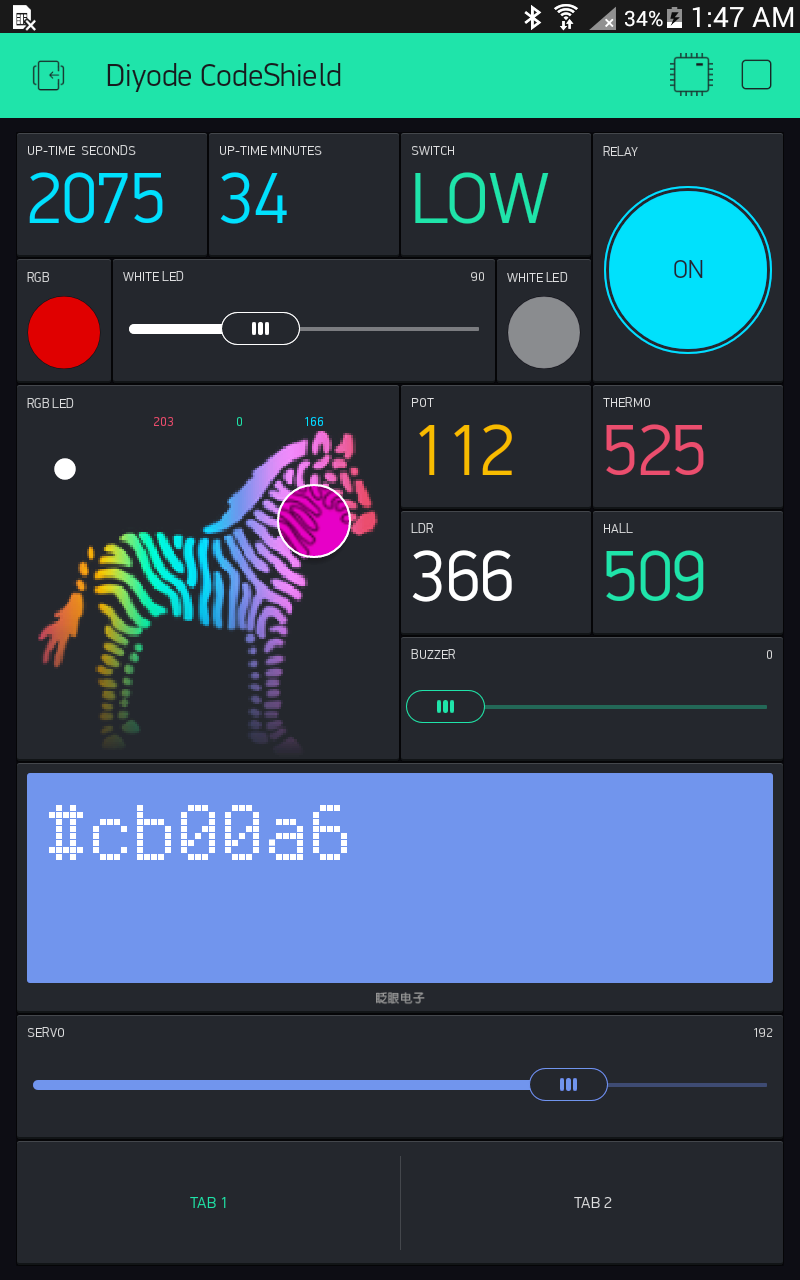
Regardless… As I hadn’t even realized how the sketch could provide feedback to a slider widget  , until I perused your post, It got me thinking of how I would try to do it; And here is the result below. Check it out and adapt to your needs as required.
It was a great learning exercise for myself 
// Simultaneous dimmer control using Slider and Buttons

#include <BlynkSimpleEthernet.h>
IPAddress server_ip (x, x, x, x);  // IP of Local_Server
byte arduino_mac[] = {0x00, 0x00, 0x00, 0xab, 0xac, 0xad};
IPAddress arduino_ip(x, x, x, x);
IPAddress subnet_mask(255, 255, 255, 0);
IPAddress gateway_ip(x, x, x, x);
IPAddress dns_ip(x, x, x, x);

#include <SPI.h>
#include <SimpleTimer.h>
#define UPButton x  // Set increment button pin.
#define DNButton x // Set decrement button pin.
#define WLED x  // Set LED pin.
int brightness = 0;  // Start off with LED off.

char auth[] = "auth_code";  // App authorization code.
SimpleTimer timerBUTTONS;  // Setup timerBUTTONS to check buttons.

/////////////////////////////////////////////////

void setup()
{
  pinMode(UPButton, INPUT);  // Set increment button pin to INPUT - Add _PULLUP if not already set in hardware.
  pinMode(DNButton, INPUT);  // Set decrement button pin to INPUT - Add _PULLUP if not already set in hardware.

  Blynk.begin(auth, server_ip, 8442, arduino_ip, dns_ip, gateway_ip, subnet_mask, arduino_mac);  //Start Blynk with required parameters.

  timerBUTTONS.setInterval(500L, whiteLED);  // Timer to run whiteLED function every half second.
}

////////////////////////////////////////////////

BLYNK_WRITE(V4) // Slider Widget Function - runs every-time slider widget is physically moved.
{
  brightness = param.asInt();  // Get slider value.
  analogWrite(WLED, brightness);  // Send slider value to LED
}

/////////////////////////////////////////////////

void whiteLED() // This function checks buttons status and updates White LED and slider (frequency dependent on timer).
{
// Check increment button and respond.
if (digitalRead(UPButton) == HIGH and brightness < 255) {  // Only do something if button pressed and brightness counter in range.
    brightness += 50;  // Increment counter by 50
    Blynk.virtualWrite(V4, constrain(brightness, 0, 255));  // Send feedback to Slider Widget - but keep within 0-255
    analogWrite(WLED, constrain(brightness, 0, 255));  // Send data to LED - but keep within 0-255
  }
// Check decrement button and respond..
  else if (digitalRead(DNButton) == HIGH and brightness > 0) {  // Only do something if button pressed and brightness counter in range.
    brightness -= 50;  // Decrement counter by 50
    Blynk.virtualWrite(V4, constrain(brightness, 0, 255));  // Send feedback to Slider Widget - but keep within 0-255
    analogWrite(WLED, constrain(brightness, 0, 255));  // Send data to LED - but keep within 0-255
  }
  else { // nothing happening here... move along :)
  }
}

/////////////////////////////////////////////////
/////////////////////////////////////////////////

void loop()
{
  Blynk.run();  // Runs usual Blynk routine.
  timerBUTTONS.run();  // Checks timer and runs whiteLED function.
}