Automation fails to notify most updated data (when source data changes value)

Hi, Everyone! I’m back after 1 year and a half with a similar issue (couldn’t find a solution to the previous one).

Going straight to the point: I use blynk to share Temperature (V6) from one NodeMCU to another one (V8) using Blynk Automation. At first, I’ve tried to setup it to share Temperature once per second, but Blynk fails to keep it (Topic from 1,5 year ago - unsolved). As a workaround, I’ve changed both Sketches so that Sender NodeMCU (Aquecedor) could send data to Receiving NodeMCU (RF 433) only when there is a change in Temperature.

After configuring Automation using both (Web Dashboard and Mobile app), it was supposed to keep both ends Sender (V6) and Receiving (V8) with the same value. But mostly, it doesn’t happens as expected due to a known issue: Sometimes i have 2 changes in Temperature in less than 1 second. When it happens, Automation is unable to send the most recent data value, as can be seen in print below taken from Automation Report.
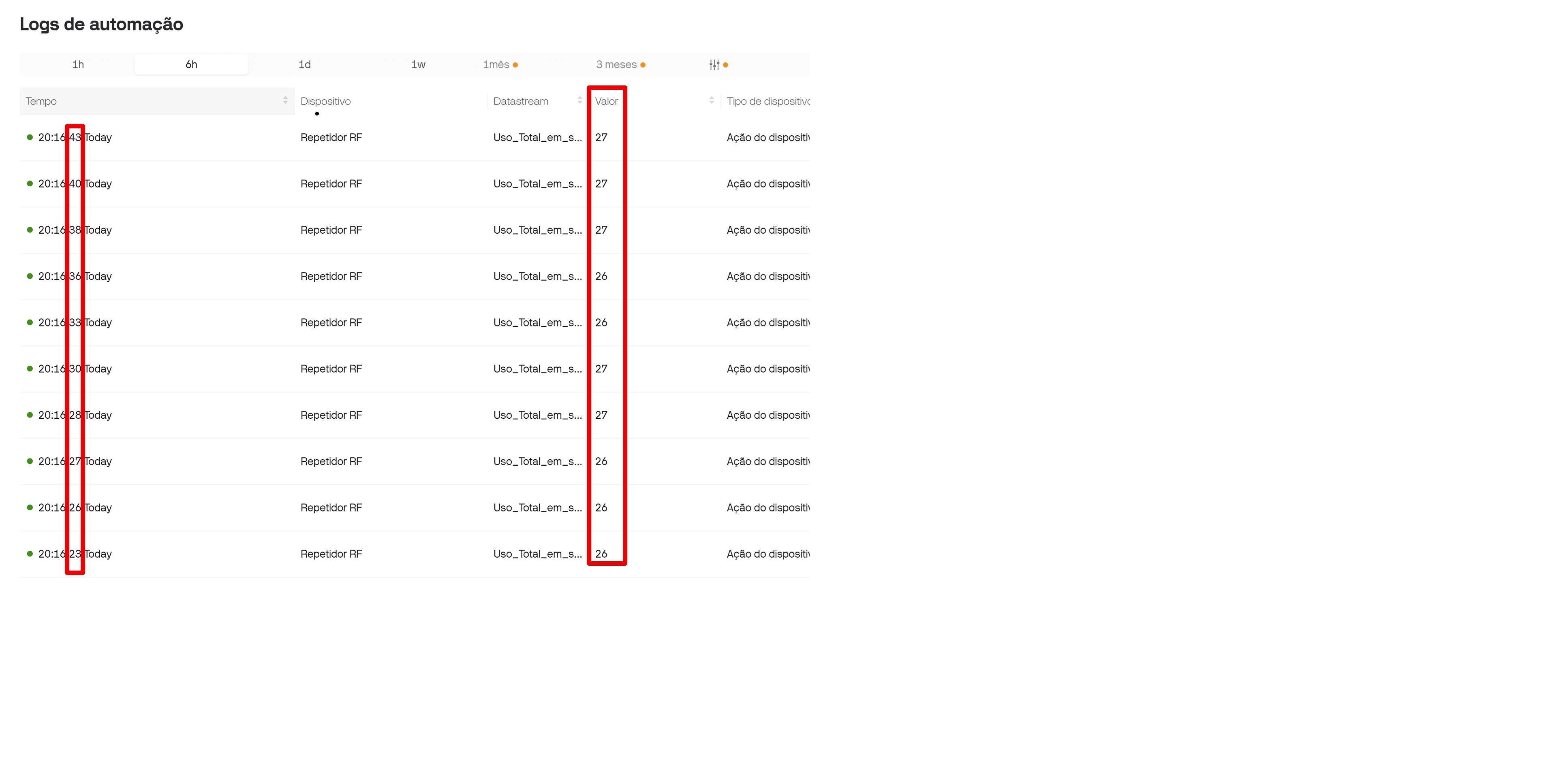
If we take a close look to the 2 highlighted red squares, we can see that Automation sends the same Temperature in a row, when it was supposed to send the most recent one. It keeps this way until there is a new change in Temperature and, eventually, loses sync again due to 2 changes inside the same second.

To deal with it, i’ve come up with an idea that involves using HTTP Get (which i avoid as much as i can due to long delay - 200 ms from Brazil).

I can provide further information, but it is important to say that it is not a problem with my Sketches, as i can see the most recent value in both devices inside Web Dashboard and mobile app (they don’t match!!).

The issue can be seen when one insert Blynk.virtualWrite(V6, Temperature) inside a Timer and set it up to less than 1 second. Try random Temperature each time.

I could share both Sketches but Sender has 1500 lines and Receiving has 900 lines.

Once again: I believe it is from server side.

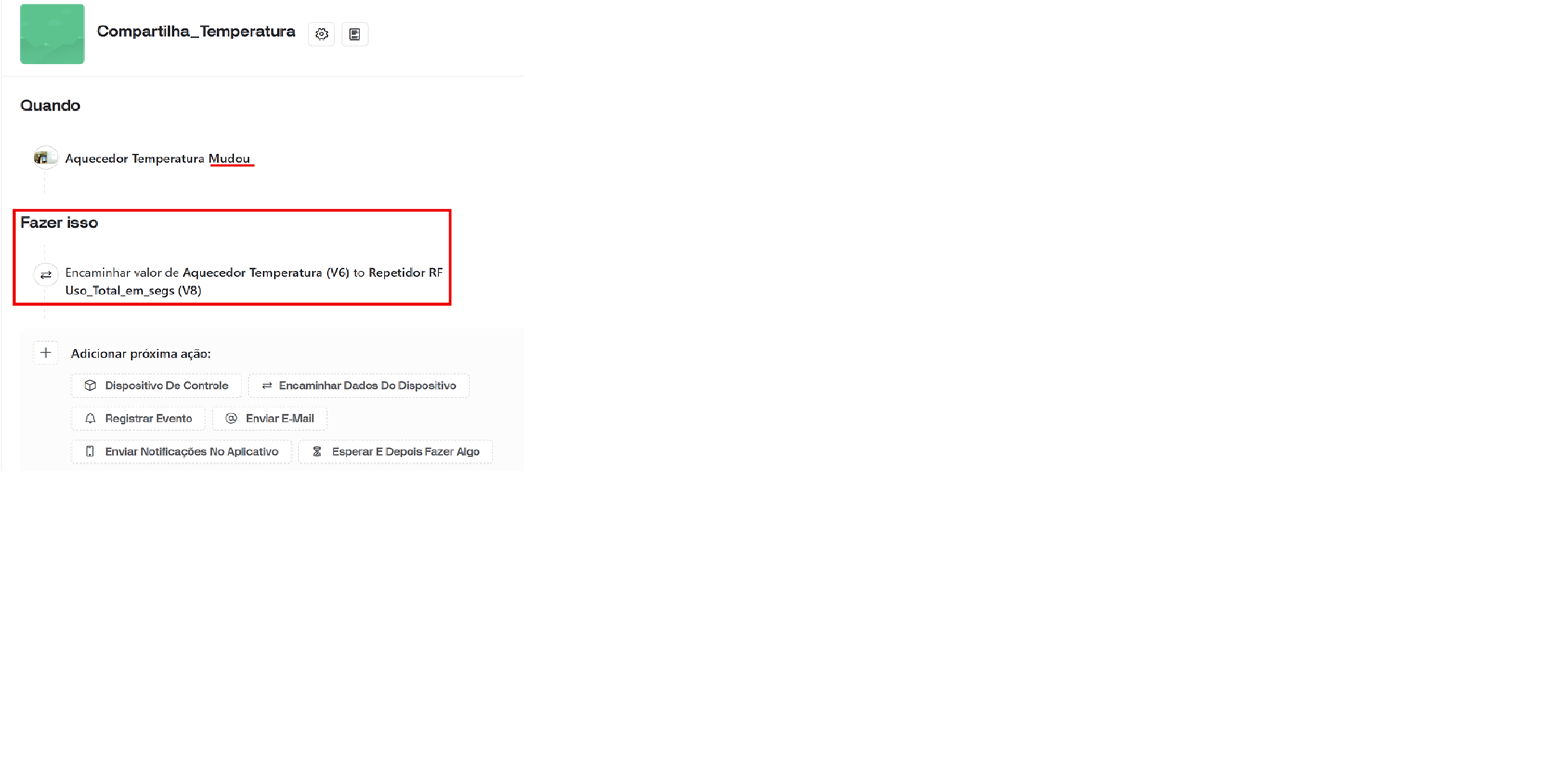
Below, Print taken from Automation configuration in Brazilian Portuguese.
And the print from Mobile App where Temperature is not the same.
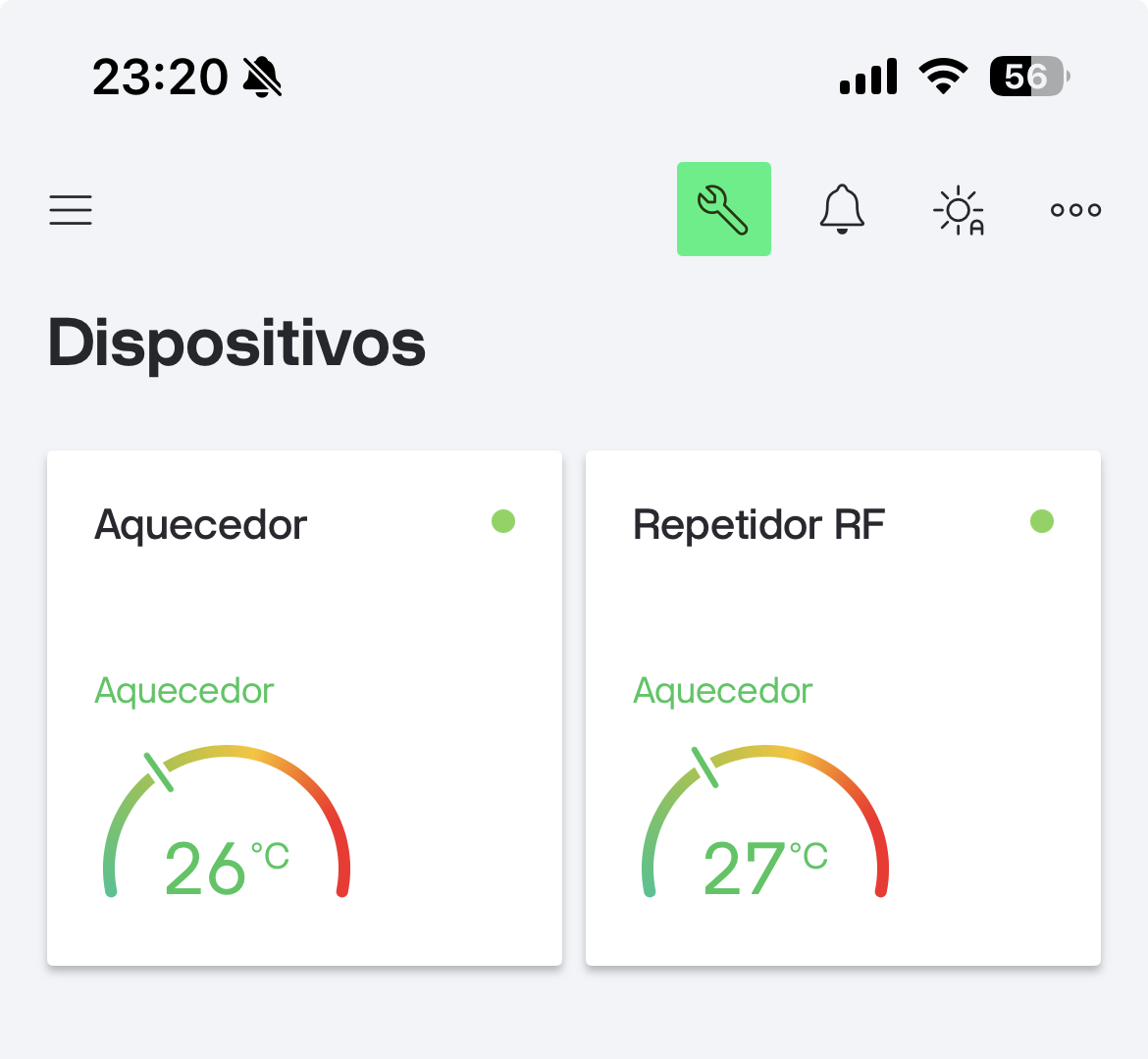
Important note: I’m aware that Mobile app Tile shows both device’s V6, but Receiving Sketch takes V8 (BLYNK.WRITE V8) and then send it back using Blynk.virtualWrite V6.

First of all, I have very little experience of automations, as they don’t meet my needs so I don’t use them.
However, I don’t think they were ever really designed to do what you are using them for when it comes to sending data from one device to another.

There aren’t many real world situations where it’s necessary to get temperature updates more frequently than once every 5 seconds or so.
The exception is where you’re using a microcontroller to control the temperature over a critical system such as maybe an incubator or an industrial process. Even then, most systems rely on a hysteresis system to prevent constant switching on/off if heating/cooling or ventilation systems.
In this type of system, it is normal (and indeed best practice) to have the temperature sensing and heating/cooling systems controlled by the same microcontroller (device from a Blynk perspective). Relying on a system which requires one device to send data to the cloud, then the second device to pick that data up and act upon it is a very badly designed system architecture for a critical control system.

My guess is that you probably aren’t using your devices for this type of critical control, so the question is, why do you want such rapid reporting of temperature changes?

Pete.

Hi, Pete! First of all thanks for your quicky reply to my original post.

There aren’t many real world situations where it’s necessary to get temperature updates more frequently than once every 5 seconds or so.

It would be enough for me if there was a 5 seconds pooling option while choosing time interval. In fact there are only 1 second then 1 minute or more.

Keeping both devices synced is important in 2 moments:
1- While temperature is raising when Aquecedor (Water Heater) is being turned on;
2- While Aquecedor is cooling down after usage (not as important as above);

My guess is that you probably aren’t using your devices for this type of critical control, so the question is, why do you want such rapid reporting of temperature changes?

Good point! The answer is that rapid temperature changes (mainly while water heater is turning on) allows me to check that it is working properly (sometimes it fails to turn on and there is waste of time and water).

In fact second device doesn’t act (switch a relay or something like this) after receiving data. It sends Temperature to a LCD display using RF 433.

Main point is syncing (keeping same information in both devices). And here is the most important: devices keep different Temperature when Sender stops sending new data until next temperature change (what can take hours). If there was a 5 second interval, i believe it would solve the problem.

Isn’t the most sensible approach to only send data once every 5 we o de?

I still don’t really understand this comment….

I’ve posted a number of examples of using HTTP(S) GET as an alternative to using authentications, but why would a 200ms delay be an issue if 1s or 5s is acceptable to you?

Pete.

Trying to make myself more clear about using HTTP Get: It locks until it receives HTTP.Code (usually 200ms). If I use HTTP once per second…caos!!! If i use it only when there is a change, acceptable. That’s the alternative i have ready and intend to update in Aquecedor.

I have come here in an attempt to solve it by server side and as i still believe current Automation behavior is not correct (send BLYNK.WRITE with same previous data).