Sure, no problem.
These two projects are running on devices in two different locations. Both on my account. Although it probably doesn’t make a difference. I am using the blynk server.
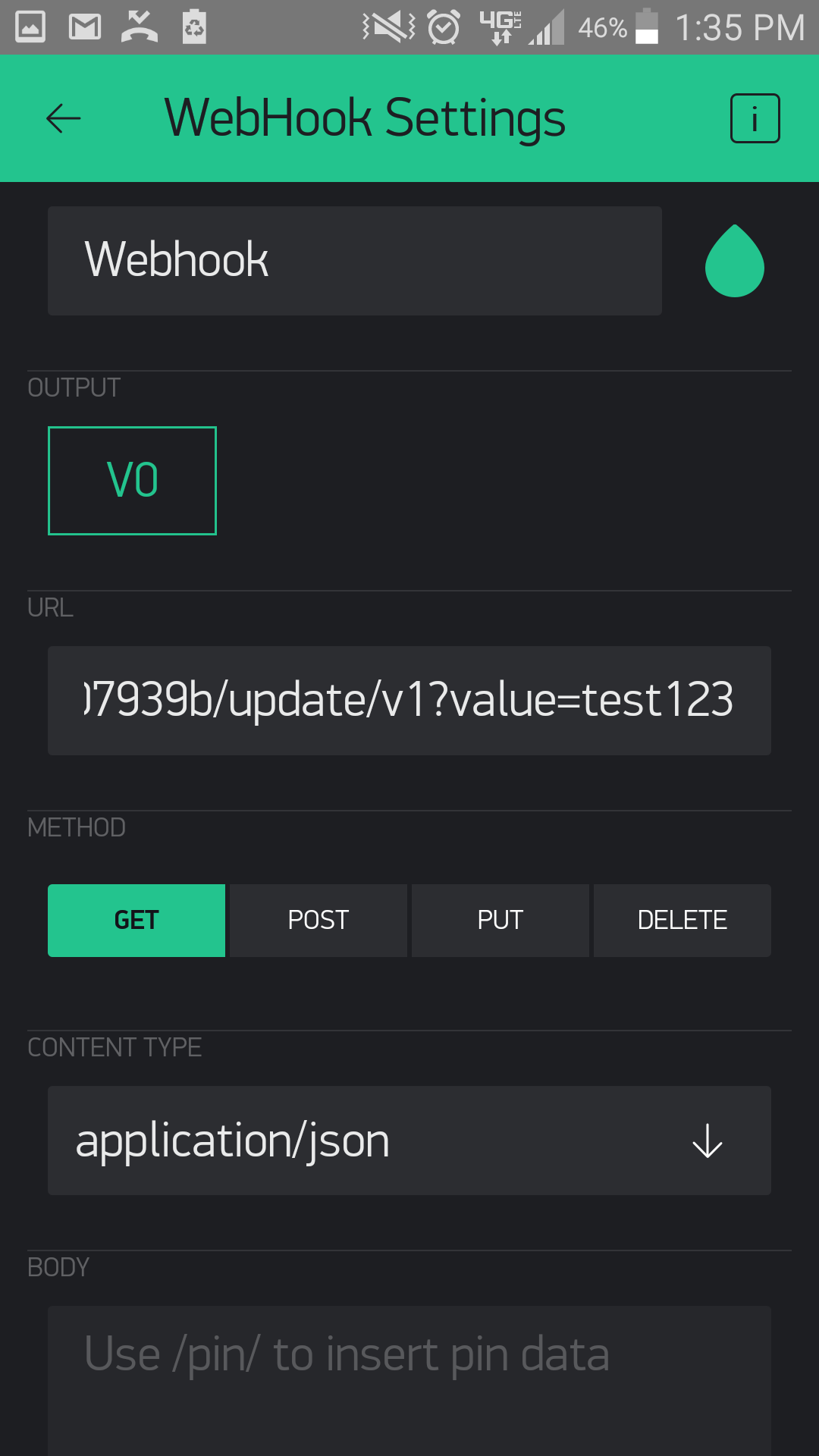
The url in the webhook is (except with my actual auth_token): http://blynk-cloud.com/auth_token/update/v1?value=test123
I can stop project 1 change the text after the "= " re-start project 1, press the button and whatever text I input is displayed on project 2.
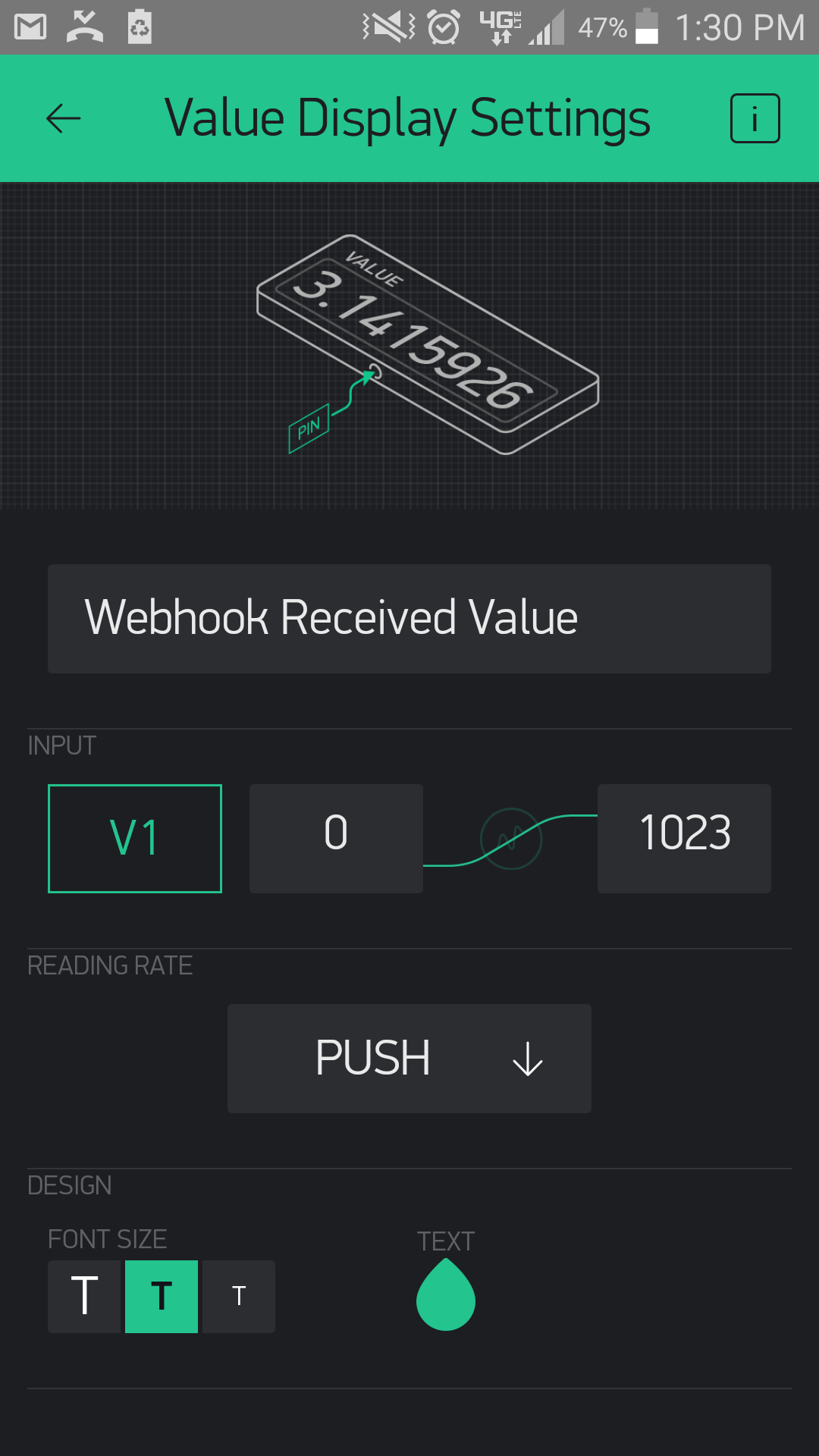
Value Display Setting On Project 2 (receiving):
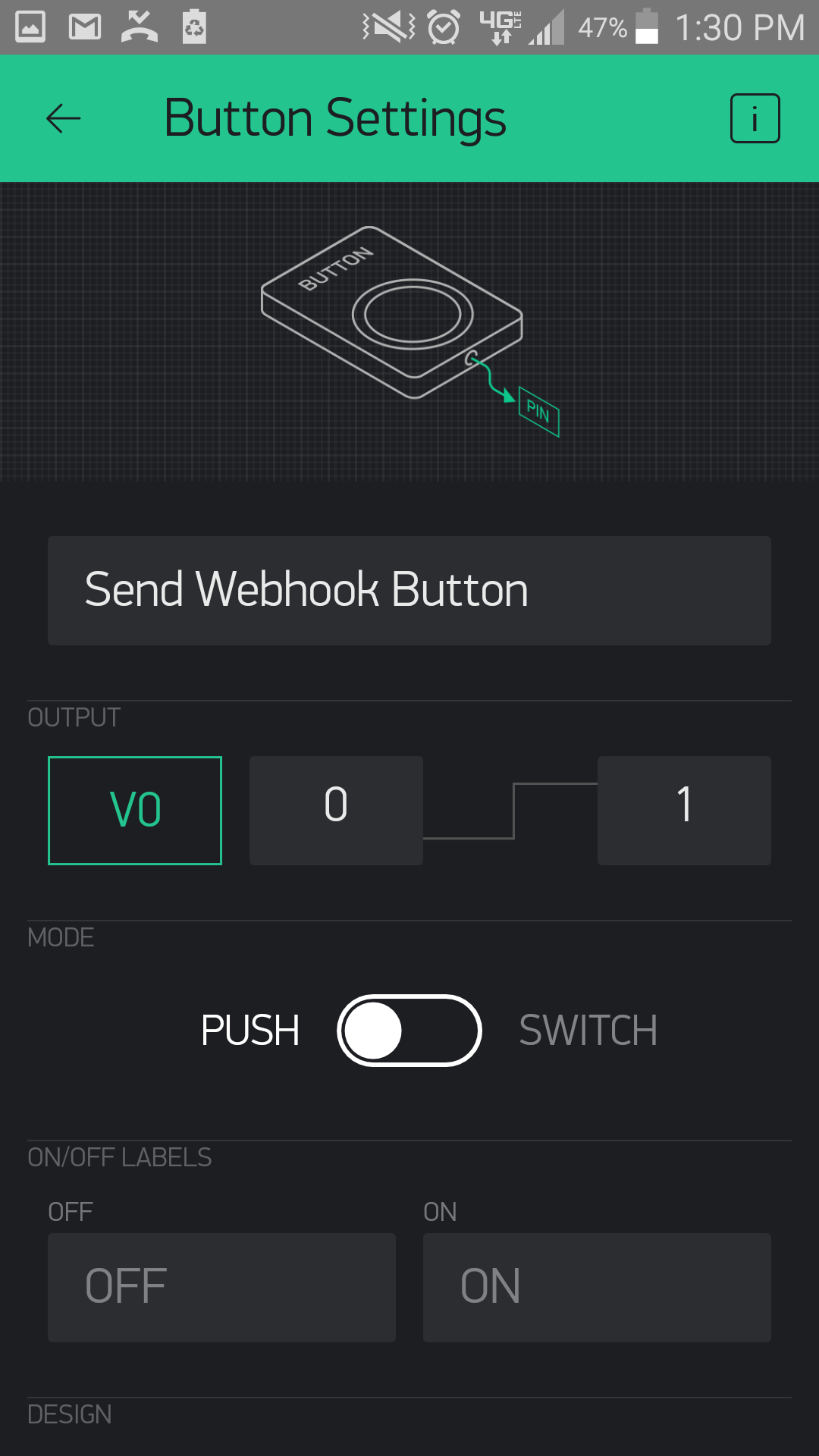
Button Setting on Project 1 (sending):
Webhook Setting on Project 1:
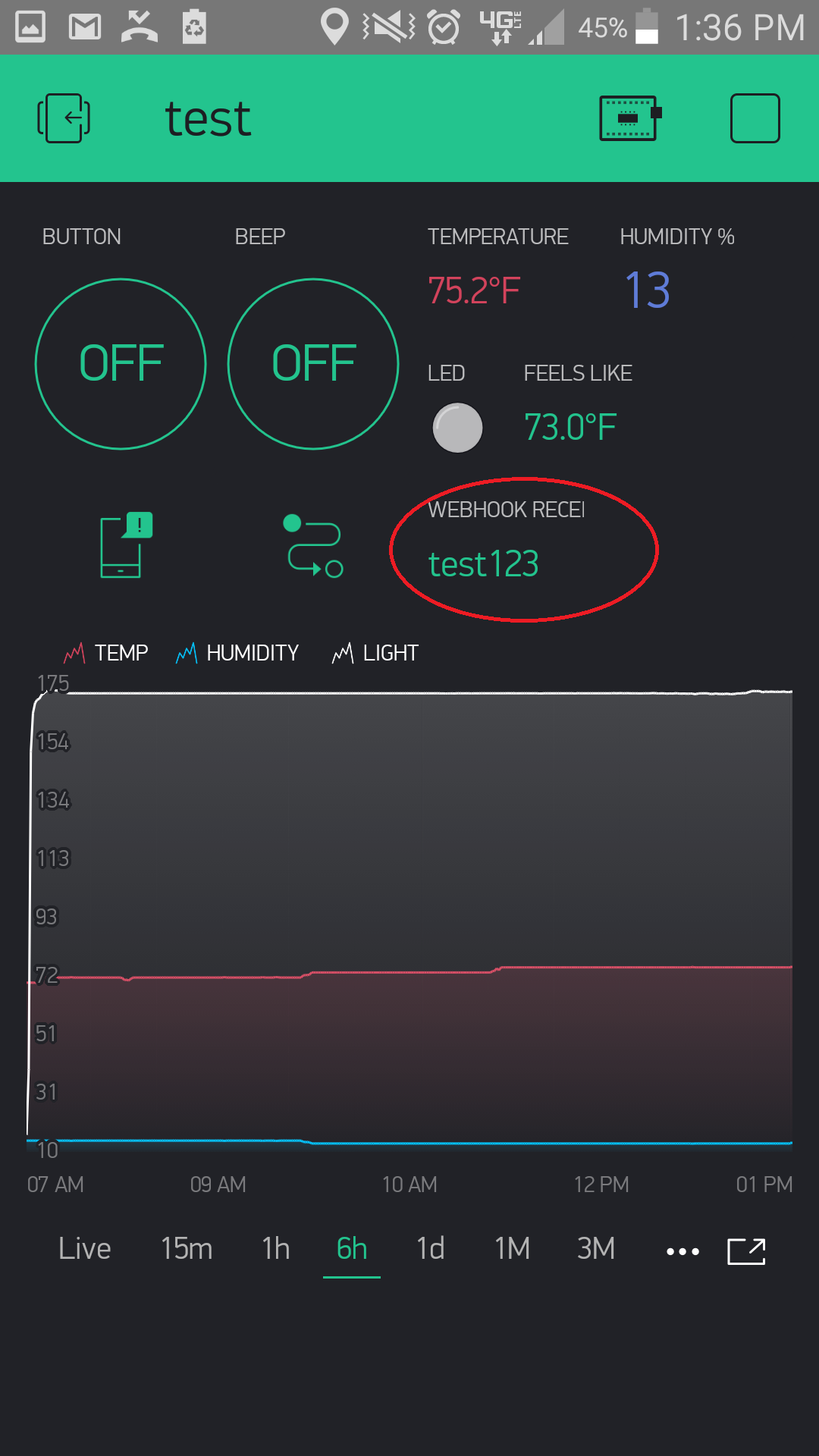
Project 2 with received value (test123):